Unlocking Creativity with Pocket Game Sliding Puzzles and Laser Cutting Design
If you're a maker, a craft enthusiast, or a small business owner looking to expand your product line, the world of laser-cut pocket games and sliding puzzles offers an exciting opportunity. These compact, engaging designs blend artistry with functionality, making them ideal for both personal projects and commercial use. Whether you're crafting with plywood, cardboard, or other 3mm-thick materials, laser cutting provides a precise and efficient way to bring your ideas to life.
What Makes Pocket Game Sliding Puzzles Unique?
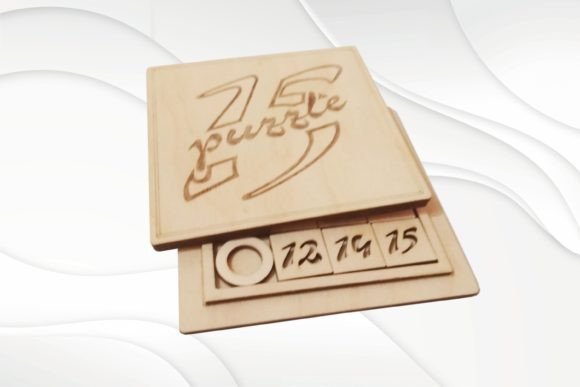
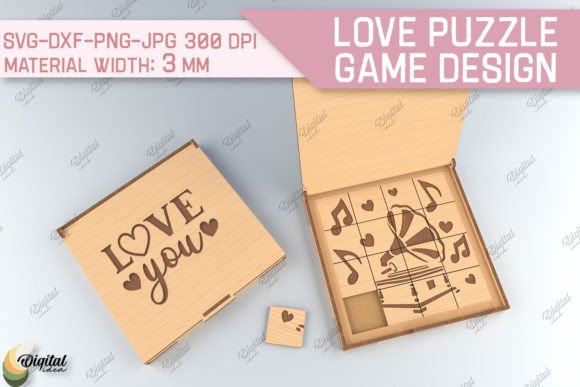
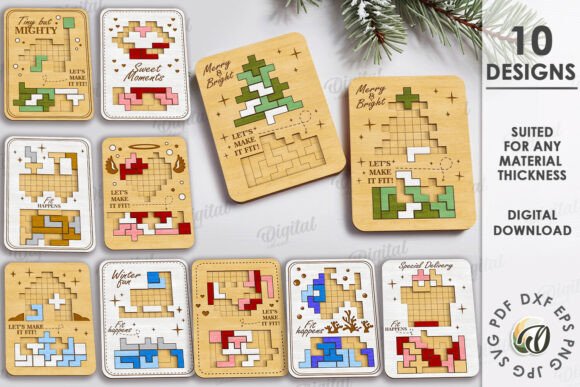
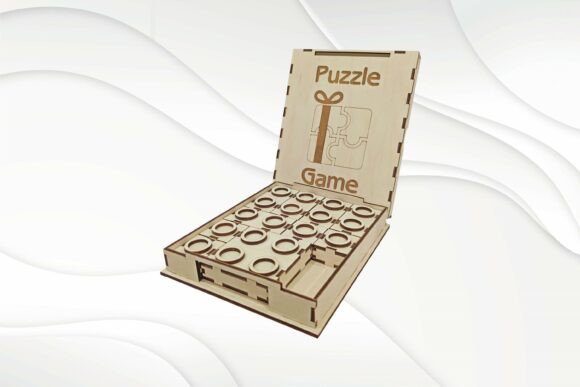
At their core, pocket game sliding puzzles are deceptively simple yet incredibly engaging. They typically consist of a small frame with a series of movable tiles or pieces that must be rearranged to form a complete image or pattern. The compact size—often around 26x135x165 mm (1 x 5.3 x 6.5 inches)—makes them perfect for on-the-go entertainment and easy storage.
What sets these puzzles apart is their adaptability. With laser cutting technology, you can customize every aspect of the design, from the material used to the colors and patterns engraved onto the surface. Whether you're creating a gift for a friend or a product for your store, these puzzles offer a high degree of personalization while maintaining a universal appeal.
Why Laser Cutting Works Perfectly for These Designs
Laser cutting is a precise, efficient method that allows for intricate detailing and clean, sharp edges. When working with materials like 3mm plywood or cardboard, this technique ensures that each piece fits together seamlessly, making assembly straightforward and the final product durable.
- Accuracy: Laser machines like Glowforge or xTool can cut with extreme precision, ensuring that every puzzle piece aligns perfectly.
- Versatility: You can use a wide range of materials, including wood, acrylic, and even thick paper or cardboard.
- Customization: Engraving options allow you to add names, dates, or decorative elements directly onto the puzzle surface.
Understanding the Included Files and Formats
When you purchase a sliding puzzle laser cutting design, you're getting more than just a pattern—you're getting a complete digital toolkit. The package includes six different file formats: SVG, PDF, CDR, AI CS5, EPS, and DXF. Each format is optimized for different software and cutting machines, ensuring compatibility with your preferred workflow.
Whether you're using Adobe Illustrator for design tweaks or a Glowforge for cutting, these files are ready to go. No need for complex conversions or adjustments—just download, load into your machine, and start cutting.
Design Considerations for Your Pocket Game
While the provided templates are designed for 3mm-thick materials, it's important to consider how your choice of material affects the final product. Plywood, for instance, offers a natural, durable finish that can be stained or painted. Cardboard is lightweight and cost-effective, making it ideal for prototypes or temporary gifts.
One key factor to keep in mind is the use of glue during assembly. Since these puzzles are made from flat, interlocking pieces, some parts will need to be glued together to form the frame and internal structure. Choose a strong, fast-drying adhesive that works well with your material of choice—wood glue for plywood, or a craft glue for cardboard.
Creating a Unique Product for Your Store or as a Gift
One of the most exciting aspects of working with laser-cut sliding puzzles is the ability to create something truly unique. Because the design files are fully editable, you can personalize the puzzle with custom images, text, or patterns. This makes them perfect for:
- Custom gifts: Add a name, date, or photo to create a personalized keepsake.
- Branded merchandise: Small businesses can imprint logos or slogans for promotional items.
- Seasonal items: Design holiday-themed puzzles featuring festive images or messages.
Painting the finished puzzle is another way to add a personal touch. Acrylic paints work well on wood, allowing you to highlight individual puzzle pieces or create a cohesive color scheme. For a more polished look, consider applying a clear varnish or sealant to protect the surface and enhance the grain.
How to Get Started with Your Laser Cutting Project
If you're new to laser cutting or working with vector files, here's a quick guide to help you get started:
- Choose your material: Select a 3mm-thick material that suits your project—plywood for durability, cardboard for affordability, or acrylic for a sleek look.
- Download and open the files: Use the appropriate software (like Adobe Illustrator or Inkscape) to open the file format that matches your setup.
- Adjust settings: Make sure your laser machine is calibrated for the material thickness and type. Check speed, power, and focus settings for optimal results.
- Cut and assemble: Once the pieces are cut, carefully assemble the puzzle using glue where necessary. Test the movement of the tiles to ensure smooth sliding.
Practical Tips for Designing and Selling Laser-Cut Puzzles
If you're planning to sell your laser-cut pocket games or puzzles, here are a few tips to help you succeed:
- Offer variations: Provide different themes or difficulty levels to appeal to a broader audience.
- Include instructions: A small printed guide or label on the back can help users understand how to solve the puzzle.
- Focus on packaging: Present your puzzle in a clear plastic bag or a custom box to enhance its retail appeal.
- Market your process: Highlight the craftsmanship and customization options in your product descriptions to attract buyers looking for unique items.
These puzzles also make excellent additions to craft fairs, Etsy shops, or pop-up markets. Their compact size and interactive nature make them a conversation starter and a memorable gift.
Conclusion: A Versatile and Rewarding Project
Whether you're a hobbyist looking for a new challenge or a small business owner seeking to expand your product offerings, laser-cut sliding puzzles and pocket games offer a rewarding and creative opportunity. With ready-to-use vector templates and a variety of file formats, you can bring your vision to life quickly and efficiently.
From the initial design to the final painted product, each step allows for personalization and creativity. And with the ability to use different materials and colors, no two puzzles have to be the same. So why not start your next laser cutting project with a pocket game sliding puzzle? It's a smart, fun, and profitable way to blend technology with artistry.